

5 Effortless Ways to Launch a Hostinger Travel Blog Hosting Tonight
In this guide, I'll show you why Hostinger travel blog hosting can be a practical option. It gives beginner and growing travel bloggers an easy way to build a WordPress website, manage content, upload images, and create a professional-looking blog without needing advanced technical skills. My website, 3 to 5 Days in Europe, is a good example.
Starting a travel blog is one of the best ways to share your trips, create helpful destination guides, and even build an online income through affiliate marketing. But before you publish your first itinerary, hotel recommendation, or travel tips article, you need a reliable place to host your website.
Whether you want to write about weekend trips, budget travel, European city breaks, food tours, hotels, or 3–5-day itineraries, good hosting is the foundation of your travel website. A fast, simple, and reliable hosting service can help your blog load better, stay organized, and grow over time.

Hostinger Travel Blog Hosting: A Simple Way to Start Your Travel Website
Starting a travel blog is exciting, but before you publish your first itinerary, hotel guide, packing list, or destination article, you need one important thing: reliable travel blog hosting. Before you start, learn more about why WordPress hosting matters.
Your hosting is the space where your travel blog lives online. It affects how fast your pages load, how easy your website is to manage, and how confidently you can grow your blog over time.
For travel bloggers, this matters a lot. A travel blog usually includes many images, destination guides, maps, affiliate links, hotel CTAs, tour recommendations, and seasonal content. That means you need hosting that is simple enough for beginners, but strong enough to support a growing website.
That is why Hostinger can be a good choice for a travel blog, especially if you want to build your site with WordPress.
Disclosure: This page may contain affiliate links. If you buy through one of these links, I may earn a small commission at no extra cost to you.
Ready to launch your travel blog?
Start Your Travel Blog with HostingerWhy Hosting Matters for a Travel Blog
A travel blog is not just a personal diary. It can become a real online project, especially if you want to write destination guides, create itineraries, promote hotel deals, recommend tours, or earn money through affiliate marketing.
Good hosting helps your blog:
- Load faster for readers.
- Stay online and accessible.
- Handle images and travel guides more smoothly.
- Work well with WordPress themes and plugins.
- Grow from a small blog into a bigger travel website.
This is especially important for travel content because visitors often browse quickly. They may be comparing destinations, looking for weekend ideas, checking hotel options, or planning a short trip. If your website is slow or difficult to use, they may leave before reading your content.
Hostinger’s managed hosting includes WordPress-focused tools, LiteSpeed technology, backups, security updates, and an easy-to-use control panel, making it practical for bloggers who want to focus on content rather than technical maintenance.
Hostinger also describes its managed WordPress hosting as including tools such as WordPress installation, automatic updates, LiteSpeed acceleration, object caching, backups, staging, and migration.
Why Hostinger Can Be a Good Choice for Travel Bloggers
Hostinger travel blog hosting is designed to make website creation easier, especially for people who do not want to manage complicated server settings.
For a travel blogger, this is useful because your time is better spent writing posts, improving SEO, adding affiliate links, creating Pinterest graphics, updating old articles, and building travel guides.
Hostinger can be useful for a travel blog because it offers:
- Managed WordPress hosting.
- LiteSpeed performance technology.
- A simple control panel called hPanel.
- One-click WordPress installation.
- Free SSL on hosting plans.
- Website migration options.
- Automatic updates and backups depending on the plan.
- Support available 24/7.
- Options to upgrade as your blog grows.
Hostinger says its managed web hosting handles technical aspects such as server maintenance, security updates, backups, and performance features, allowing website owners to focus more on content creation.
Good for Beginners Who Want to Start a Travel Blog
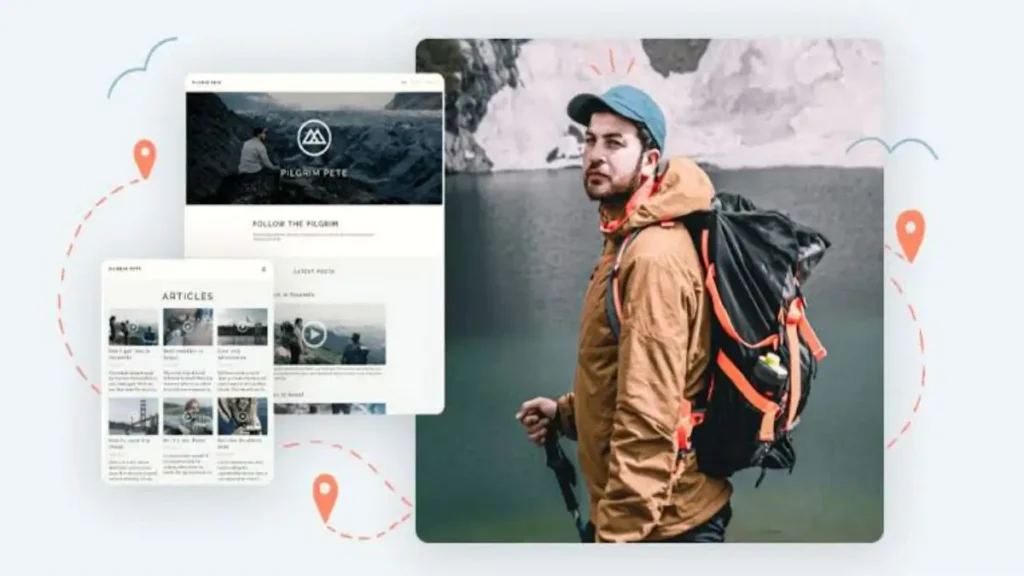
One of the hardest parts of starting a travel blog is not the writing. It is setting up the website.
You need a domain name, hosting, WordPress, a theme, plugins, security, SSL, and basic performance settings. For beginners, that can feel overwhelming.
Hostinger helps simplify this process. You can choose a travel blog hosting plan, connect or register a domain, install WordPress, and start building your site from one dashboard.
This makes it a good option if you want to create an affordable web hosting travel blog about:
- Weekend trips in Europe
- Budget travel
- City breaks
- Train itineraries
- Food tours
- Ferry routes
- Hidden gems
- Hotel guides
- Travel affiliate content
- Short 3–5 day itineraries
You do not need to be a developer to start. You can use WordPress, install a lightweight theme, add SEO plugins, and begin publishing your first articles.
Ready to launch your travel blog?
Start Your Travel Blog with HostingerFast Loading Is Important for Travel Content
Travel blogs often feature many images. A destination article may include photos of cities, beaches, mountains, hotels, food, maps, and attractions.
Beautiful images are important, but they can also slow down your website if your hosting and optimization settings are not good.
A faster travel blog can improve the user experience and may help readers stay longer on your site. This is important if you want visitors to click affiliate links, read related guides, or explore more destinations.
Hostinger uses LiteSpeed technology, and its documentation states that WordPress hosting clients can use LiteSpeed Optimization Profiles to improve website performance with preconfigured settings.
For a travel blog, this can be useful because you can combine good hosting with image optimization, caching, and a lightweight WordPress travel blog theme.
My Suggested Setup: Hostinger Travel Blog Hosting
If you are starting a travel blog, I would keep the setup simple at the beginning.
A good basic setup could be:
- Hosting: Hostinger WordPress hosting.
- CMS: WordPress.
- Theme: Kadence, GeneratePress, Astra, or another lightweight theme.
- SEO plugin: Rank Math or Yoast SEO.
- Caching/performance: LiteSpeed Cache.
- Image optimization: WebP images and compressed photos.
- Affiliate links: Pretty Links or another link management plugin.
- Email list: MailerLite, MailPoet, ConvertKit, or similar.
This setup gives you enough flexibility to create destination guides, blog posts, affiliate CTAs, comparison tables, and travel resources without making the site too heavy.
For example, a travel blog homepage could include:
- Best 3–5 day trips
- Budget travel guides
- Europe destination pages
- Hotel and tour recommendations
- Seasonal travel ideas
- Travel planning resources
Hostinger Travel Blog Hosting Plans on Offer
The main plans offered on the Official Hostinger Website include:
- Hostinger Single: €1.49/month instead of €6.99. Ideal for a single website, it offers 10 GB of SSD storage and 1 free email box for the first year. Note: does not include a free domain.
- Hostinger Premium: €2.99/month instead of €11.99. Includes management for up to 3 websites, 20 GB of SSD storage, and a free domain for 1 year.
- Hostinger Business: €3.99/month instead of €18.99. Offers more hardware resources, automatic daily backups, and advanced tools optimized for growth.
- Hostinger Cloud Startup: €7.99/month instead of €25.99. Guarantees up to 20 times more power for high-traffic websites and 100 GB of super-fast NVMe storage.
Ready to launch your travel blog?
Start Your Travel Blog with HostingerHow to Get Extra Discounts
In addition to the promotional list prices, you can further reduce your final cost through these channels:
- Promo Codes: Hostinger regularly releases official coupons that apply an extra discount (usually between 7% and 10%) directly in the shopping cart. You can check availability on the Hostinger Promo Codes Page.
- Refer-a-Friend Program: If you use a referral code from an already registered user, you can receive an additional 20% discount on your initial purchase.
Is Hostinger Right for Your Travel Blog?
Launching a successful travel blog requires a host that can handle heavy, image-packed content without draining your wallet before you even book your next trip. Hostinger strikes an excellent balance for creators on the move, combining fast loading times (thanks to their localized servers and global network) with interface tools that are friendly for beginners.
With current promotions slashing up to 81% off standard rates, you can secure reliable hosting for as low as €1.49 to €3.99 per month by locking in a long-term plan.
If you are just starting and need a complimentary domain, stepping up to the Premium or Business tier offers the best overall value for a growing site. Thanks to their 30-day money-back guarantee, you can safely test their speeds and set up your layout entirely risk-free before deciding if it's the best hosting for travel bloggers.
Before checking out, make sure to look for an active official coupon code or a referral link to shave an extra 7% to 20% off your initial setup costs!